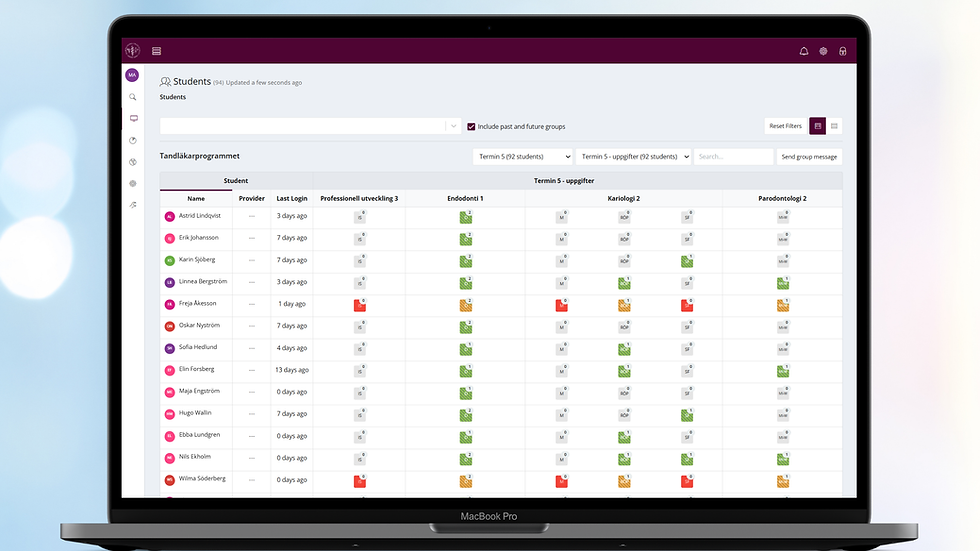
MyProgress 8.0 Release Notes

MyProgress 8.0 is an exciting step towards the unification of legacy Myprogress and the newer interface. It brings along a new underlying Datawarehouse and other performance improvements, for all users.
Data Insights
This new enhancement now showcases invaluable data on site usage; including user log ins, form completions, system use by days of the weeks. Administrators have the ability to see at a glance how the site is being used and any peaks times.
Service Desk
Another new feature, is the ability to be able to see ticketing information, based on data from the Service Desk. Administrators have the ability to see at a glance, the number of open tickets, tickets raised over a 90 day period, solved tickets, closed tickets, tickets on hold, when tickets were raised and the spread of tickets over a 10 month period. This gives invaluable insights into how issues are being managed, raised and resolved. (Note that ticketing data is updated once per month - at the end of each month. We are hoping to update this to be more "real time" over the coming months)
Extended bi-lingual language
Prior to Version 8, we had already introduced basic Welsh Language support for some areas of MyProgress, but with Version 8 we now have extended this, working with our Welsh Language customers, we have introduced site wide bi-lingual capabilities - with all areas now supporting the Welsh language.
This is also building the first steps, for a further roll out of being able to support other languages, with more enhancements to follow over the next 12 months. This is accessible by MyKnowledgeMap Service Desk, if required please let us know.
User Management
Currently, user management is limited to the legacy Myprogress side of the system, with restricted editing and searching options. Version 8.0 introduces a new interface, with "smart search" which uses "stackable" filters and instant searching.
Users can have multiple email addresses; Administrators can check users account status, group memberships, date of creation and the ability to add custom attributes.
*Please note that the "users account verification" mark is only for accounts created post Version 8 release currently.
Group Management
Like User Management, Groups are now managed outside of the legacy part of the site and offers "smart search" which uses "stackable" filters and instant searching. Groups are based on previous functionality, but with smoother and quicker searching and processes.
Organisational Management
Another feature moving out of legacy, is the "Organisational Management", where the customer's organisations are managed.
Traditionally setup with the University at the top, as the parent and Schools, Trusts, Programmes as sub-organisations. This is now managed like the current Provider management area, but with the additional abilities to be able to create custom roles (Further developed in Version 8.1), group types, custom properties, group and see the number of users within that organisation.
Within each Organisation "Terminology" can also be customised, as Myprogress was previously restricted to a set number of customisable options, so we've further developed this to include more options.
Data Warehouse
Until Version 8, all the response data was stored within the legacy area of Myprogress, using an older form service, meaning Customers experienced slow loading and processing times. Version 8 introduces a new Data Warehouse, which enables faster response processing, improved dashboard loading times, updated access controls to further improve security and the ability to be able to more easily access form responses for custom reports and API connections.
Reporting
The Reports have all be re-written to include new filters and options, with improved loading time performance. Reports now have the ability to report across multiple cohorts, something request by Customers. We have also introduced a new report, the "Completions Report by Programme", replacing the older "Group Progress Report".
Account Verification / Activation
User activation process, has been improved for non-SSO users, removing some of the areas causing confusion when activating accounts. We have also improved the underlying-performance for logging in, even during peak times.
Navigation
We have listened to customers regarding the increasing number of Administration icons to the left of the homepage and included as part of Version 8, the "nested menu structure" minimising icons and maximising efficiency.
System Administration / UI Settings
Giving customers the power to be able to update specific branding and site options, this new area now introduces the ability to add system messages (banner), controlling branding - colours, landing page pictures, logo and other font/styling options. This is accessible by MyKnowledgeMap Service Desk, if required please let us know.
MyProgress App
Students are now able to use a brand new app; built to support the Version 8 Data Warehouse and performance changes, as well as improved accessibility updates.
Progress Views
Responses can now be chosen to be available to be attached to Competency Frameworks; rather than all responses having the ability to be used as evidence. Available within the Program Instance or Template as a form option.
"Enable framework mapping" is the current/previous way of being able to map to any proficiency/competency on the framework;
"Enable Direct Framework Mapping" is NEW - Here you can select specific competencies/proficiencies that the form automatically gets mapped to on completion. You can set them in the authoring tool when editing the form or via the placement provider in the Providers page. Therefore if a student has a placement allocation for that provider and the setting is ticked, when the student goes to complete the form, the selected competencies/proficiencies display ticked at the top of the response. (They’re also editable so you can untick them before submitting the form.)
Viewing a students "linked" Practice Staff
Administrators will now be able to easily add, edit and delete Practice Staff from students placements. Managed through the program instance and placement allocation.
Any Practice Staff linked via an Allocation form within a students portfolio will show here; next to their placement. Add, edit and delete Practice Staff by clicking on their placement allocation.
*Please note that no notifications are sent to users who are add/removed from the list and do not show as Practice Staff linked to the student on their portfolio.
Miscellaneous Improvements / Changes
- Any student workflow chosen to be "Practice Assessor Allocation" or "Practice Supervisor Allocation" will automatically have "email for later" included as part of the response options. This is to enable students to send the draft to their PA/PS, for them to read the declaration and then submit the response to setup their account and allocate them to the student.
- Form Templates now show Administrators, all current org templates and any within the lower orgs too. This supports Administrators with working across multiple programmes.
- Dashboards now filter as default by student SURNAME rather than first name;
- Responses will now include the programme structure information, to quickly identify where the response is stored within the student/trainee's portfolio.
- The "Meeting" and "Flagged Response" widgets will now provide program structure information, so users know where the flag/meeting is linked to, rather than having to search through the student/trainee's portfolio.
- "ePAD" term is now replaced by "program" (This can be customised) - This was based on feedback, where customers preferred a different term to ePAD, as this is very Nursing centric and not on-brand. So "program" was agreed but again, can be customised within the new "Terminology" area.
- Administrators, rather than having to access legacy Myprogress can now edit responses directly within the response interface and the edits update instantly.